QUICKFILM DTF TRANSFERS
🚀 Which Product Do You Need?
We've simplified ordering to make it faster and easier. Just choose the option that matches your project.
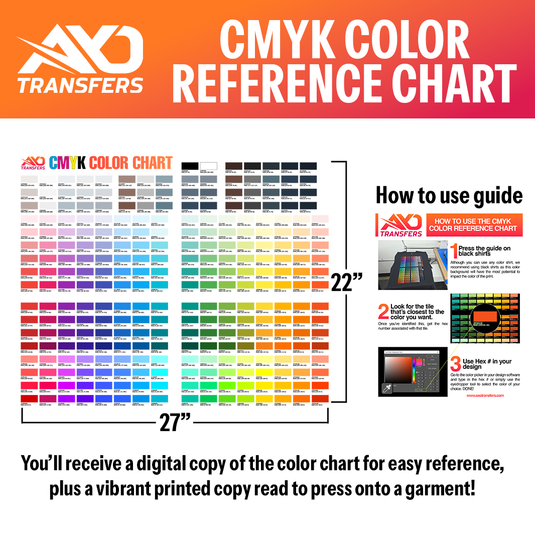
🎨 CMYK Color Reference Chart
Perfect for matching colors before you print.
Want to see how colors will actually print on DTF transfers? Our printable CMYK Color Reference Chart helps you choose colors with confidence before placing a large order.
📏 QUICKFILM DTF – DTF ORDER BY SIZE
Ordering just one or a few individual designs?
Choose this option when you only need individual transfers. Simply upload your artwork, select the size, and we'll print exactly what you need.
✅ Great for logos, left chest prints, back designs, and one-off orders.
🖥️ QUICKFILM DTF – SMART DTF GANG SHEET BUILDER
Need multiple designs on one sheet?
✔ Build a Gang Sheet Online using our easy AI builder (Easy as 1,2,3) or simply drag-and-drop (not recommended)—no design software required.
ONLY Pay for the space you need!
Perfect for maximizing space and saving money on larger orders.
QUICKFILM DTF – UPLOAD A GANG SHEET
✔ Upload Your Own Gang Sheet if you've already created one in Photoshop, Illustrator, Canva, or another design program.
✨ Not sure which one to choose?
-
🎨 Need accurate colors? → CMYK Color Reference Chart
-
📏 Ordering individual transfers? → DTF Order by Size
-
🖥️ Ordering multiple designs or filling an entire sheet? → Upload or Build a Gang Sheet
That's it! Three simple options to get your order started. 🚀